
 Download
WinTV Browser is a TV like user interface for your home theatre PC. It aims to mimic the Android TV user interface or the user interface that is built into your smart TV.
It is in essence a Web Browser that uses WebView2, the Microsoft Chromium based browser. It operates smoothly and has excellent support for websites.
Use your XBOX controller to navigate the user interface. Your controller will act like a mouse, with some extra functions for some buttons.
Version 0.2.3 Changes:
Read more: https://sourceforge.net/p/wintvbrowser/wiki/Release%200.2.3%20Changelog/
Version 0.2.4 Changes:
Read more:
https://sourceforge.net/p/wintvbrowser/wiki/Release%200.2.4%20Changelog/
Features
- XBOX controller support to navigate the UI. Use the controller to move the mouse cursor, left and right click.
- On screen keyboard for controller use.
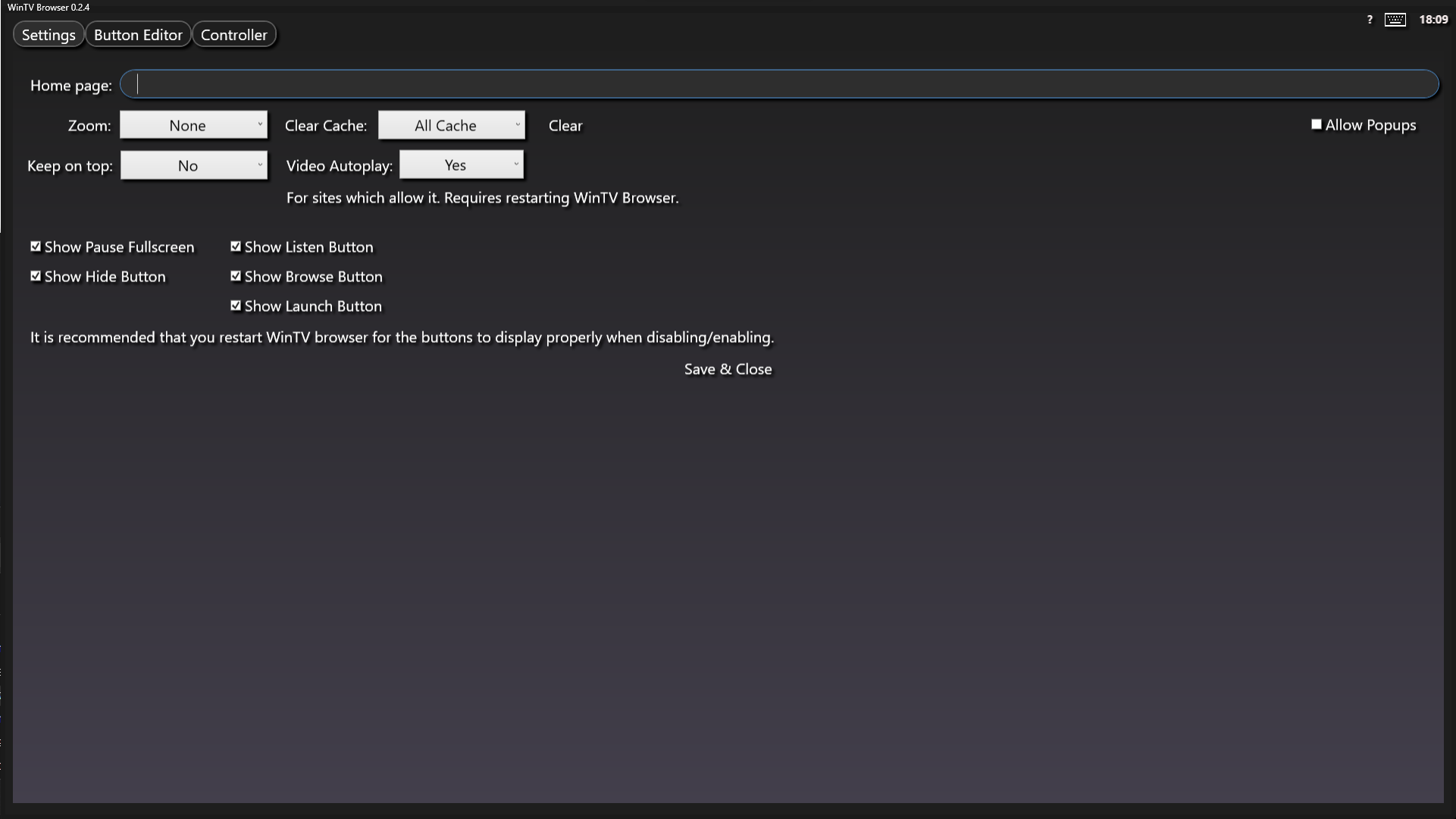
- Customise the buttons to point to any website.
- Each button can have a custom zoom level for each specific website.
- Create custom button images for each button.
- Launch menu allows you to launch applications on your PC, with arguments.
- Microsoft WebView2 chromium browser
Project Samples



License
GNU Free Documentation LicenseFollow WinTVBrowser
Other Useful Business Software
Enterprise Job Scheduling Software
Managing your sprawling data center and cloud with disparate native schedulers creates chaos. Achieve unparalleled control and efficiency over your entire IT environment with JAMS job orchestration tools. JAMS provides the singular, centralized platform required to overcome the complexities of disparate native schedulers. Automate, secure, and govern all your workloads, eliminating fragmented control, compliance risks, and operational bottlenecks. JAMS streamlines operations and ensures audit-ready history, transforming your enterprise automation with confidence and precision.
Rate This Project
Login To Rate This Project
User Reviews
Be the first to post a review of WinTVBrowser!

